Discover 5 Surprising Facts About Android Auto’s New Player.
Driving can be tedious, but your car’s infotainment system shouldn’t be. Many drivers rely on Android Authority reports that Google is quietly rolling out significant updates to the Android Auto media player. This isn’t just a fresh coat of paint; it suggests a smarter approach to your in-car entertainment.
This article cuts through the noise, explaining exactly what’s changing with Android Auto’s dashboard media card. We will also explore why these subtle tweaks are a big deal for your daily commute. Google is making moves, and these updates impact how you interact with your car’s brain.
I’ll break down the new features, discuss their real-world implications, and offer my perspective on Google’s direction. Ultimately, you’ll understand if these changes truly enhance your driving experience or merely add clutter. Let’s get into it.
Android Auto: Smarter Media Player Hits Your Dashboard
What Happened: A Fresh Look for Android Auto Media
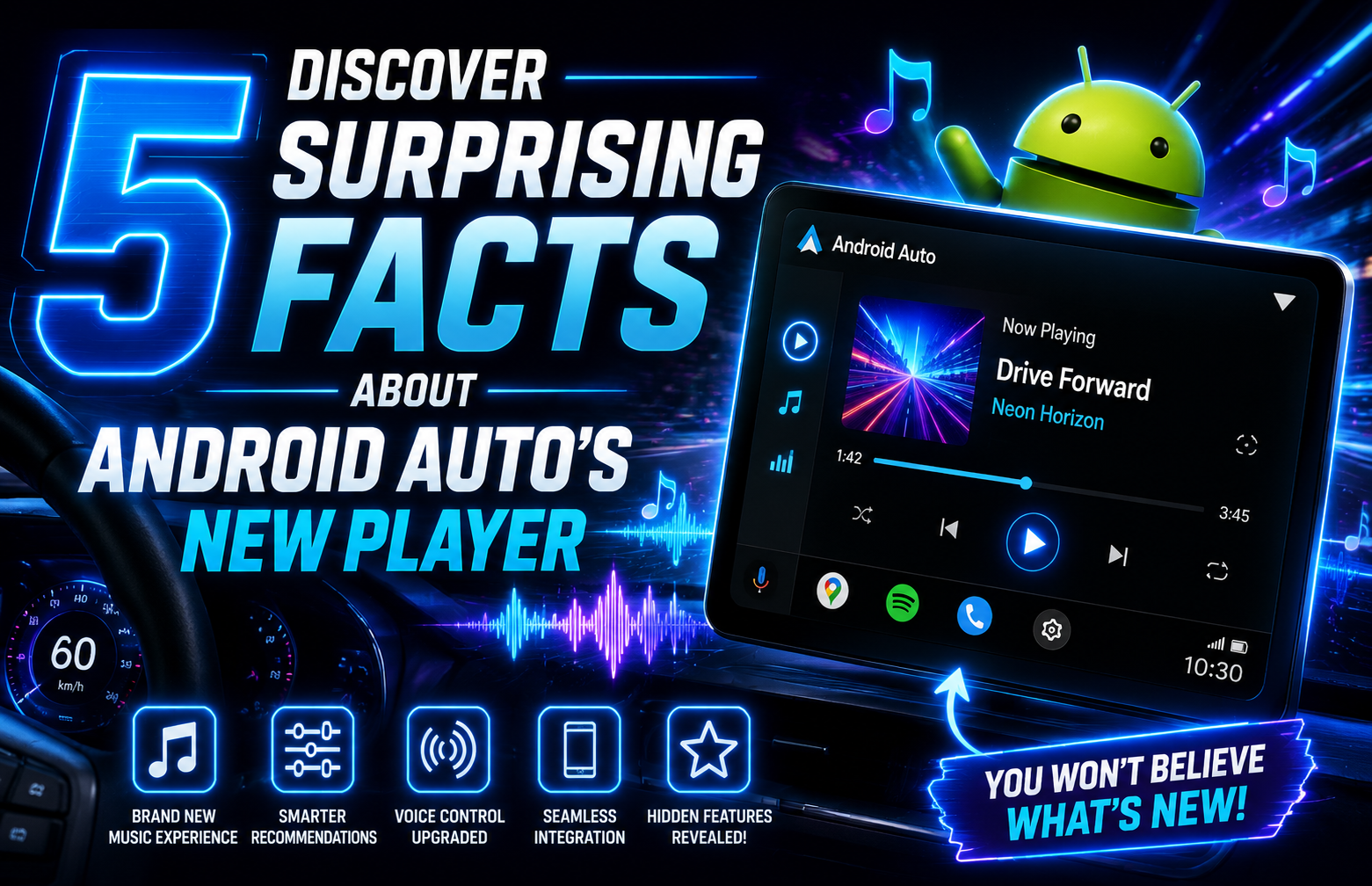
Google is rolling out a visually updated media player card for Android Auto. This new interface appears directly on your car’s dashboard. Drivers are starting to see these changes, which feature a cleaner, more focused design.
The most noticeable change is the album art. It now sits prominently at the center of the card. Additionally, the background around the album art gets a subtle blur effect. This creates a modern and appealing visual.
Beyond aesthetics, this redesign brings enhanced functionality. Depending on the specific music app you use, you might see extra controls. These can include ‘like,’ ‘shuffle,’ and ‘repeat’ buttons, making interaction quicker.
However, not all head units will display these additional controls. Their appearance often depends on your car’s display capabilities. This means some drivers will get a richer experience than others.
This media player update isn’t isolated. It’s part of a broader Android Auto makeover first announced at Google I/O 2026. For example, Google Maps’ new Immersive Navigation is also slowly reaching dashboards. That feature brings 3D buildings and clearer road details to your screen.
Why This Matters: A Smarter Android Auto Experience for Drivers
This updated Android Auto media player is more than just a cosmetic refresh. It represents Google’s renewed focus on driver safety and user experience. By centralizing album art and simplifying controls, Google aims to reduce visual clutter. This allows drivers to focus more on the road.
Consider the practical implications: fewer taps mean less distraction. When you need to skip a track or hit shuffle, having those controls immediately visible and accessible saves precious seconds. In fact, even a momentary glance away from the road can be dangerous. Therefore, a streamlined interface is a genuine safety improvement.
Furthermore, this update brings Android Auto closer to the intuitive feel of some alternatives. Apple CarPlay, for instance, has long been praised for its clean, straightforward media controls. While Android Auto has made strides, this new design directly addresses a common pain point: cluttered interfaces. However, Android Auto still offers greater customization flexibility overall.
The ability for music apps to integrate more controls is also significant. It pushes developers to create a more integrated experience within Android Auto. This means your favorite streaming service can feel more native to your car’s system. As screens in our cars get smarter, much like the samsung galaxy tab s10: the bigger, tablets, optimizing every pixel becomes crucial.
My take? This is a smart, necessary evolution. Google is finally prioritizing the driver’s actual needs over simply porting phone apps to a larger screen. It shows a commitment to making Android Auto a genuinely useful and less distracting co-pilot. This isn’t groundbreaking, but it is a welcome improvement.
Key Takeaways
- Redesigned: Android Auto media card gets a fresh look.
- Centralized: Album art now features prominently.
- Enhanced: New controls like shuffle and repeat are available.
- Varied: Features depend on your car’s display.
- Part of a larger update: Aligns with Google I/O 2026 changes.
- Improved: Aims for better driver safety and experience.
What to Watch Next
This Android Auto update signals a broader shift in Google’s approach to in-car technology. Drivers should monitor the rollout speed. Google often stages these updates, so not everyone will see the new interface immediately. Pay attention to your head unit’s display to see if the extra controls appear.
Additionally, keep an eye on how music app developers respond. This redesigned media card provides new opportunities for better integration. We might see apps like Spotify, YouTube Music, and Pandora updating their interfaces to fully utilize these new features. This could lead to a more consistent and user-friendly experience across all your audio sources.
Finally, Google’s “I/O 2026 makeover” for Android Auto is clearly ongoing. Expect further refinements to the overall user interface and navigation. The goal is likely a more cohesive and intuitive system, moving beyond simple app mirroring. Future updates will undoubtedly focus on personalization and deeper car integration.
Frequently Asked Questions
What is the new Android Auto media player?
The new Android Auto media player is a redesigned interface for displaying and controlling music on your car’s dashboard. It features centered album art, a blurred background, and potentially new interaction buttons for popular music apps.
What features does the redesigned media card include?
The redesigned media card primarily includes visually centered album art and a blurred background for a cleaner look. It can also add extra controls like ‘like,’ ‘shuffle,’ and ‘repeat’ depending on the music app and your car’s display capabilities.
When will this new Android Auto interface be available?
This new Android Auto interface is slowly rolling out to drivers now. Its availability depends on Google’s phased deployment and your specific car’s head unit. You might see it appear automatically in upcoming weeks or months.
Does the new media player work with all music apps?
Yes, the core visual update for the media player works with all music apps. However, the additional controls, such as ‘like’ or ‘shuffle,’ depend on specific music apps integrating these features and your car’s display supporting them.
How does this update improve the driving experience?
This update improves the driving experience by making media controls more intuitive and visually clearer. By reducing clutter and centralizing key information like album art, it aims to minimize driver distraction. This makes interacting with your music safer and more enjoyable.
Final Thoughts
Google’s quiet rollout of a smarter Android Auto media player is a clear sign. The company understands that in-car tech needs to be genuinely helpful, not just flashy. This isn’t about revolutionary AI features. Instead, it focuses on practical improvements that make daily driving a little less stressful and a lot more pleasant. It’s about getting the basics right.
Ultimately, this update signals a positive future for Android Auto. It suggests a more thoughtful, driver-centric design philosophy. We should expect more subtle, yet impactful, improvements to follow.
For the latest tech news and updates, head over to Tech Trends Central — we cover everything worth knowing.